…(continued from front page)… (in Windows XP, you would set your current folder view the way you wanted it, then you would go into folder options and click on Apply current view to All Folders). Hopefully this issue will be addressed by Microsoft soon, but in the meantime, here is the solution that seems to work well for me
Note: Click on any image for a larger view of that particular image.
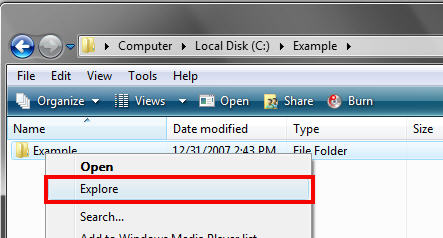
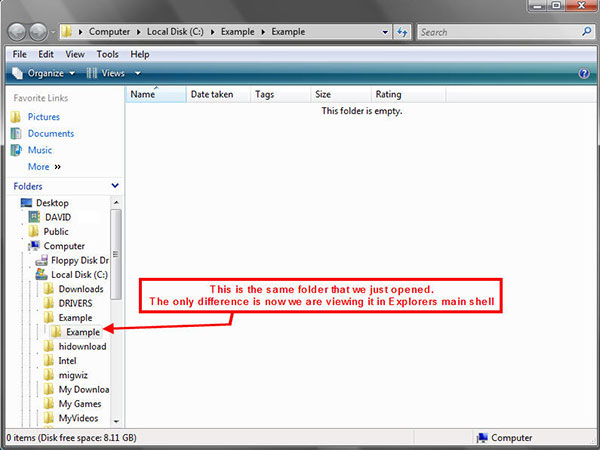
- Pick any folder and right click on it and select explore folder in windows explorer.
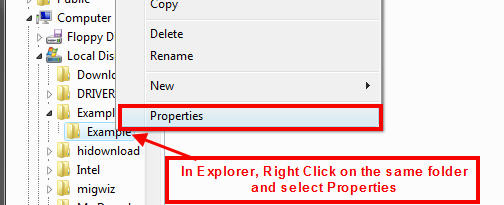
- Right click on that same folder and select properties
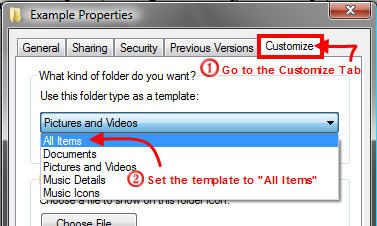
- Go to the Customize tab (Note: if you can't see the customize tab then choose another folder) then, In the "Use this folder type as a template", select All items.
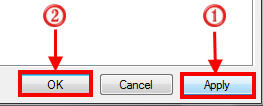
- Click Apply Then Click Ok
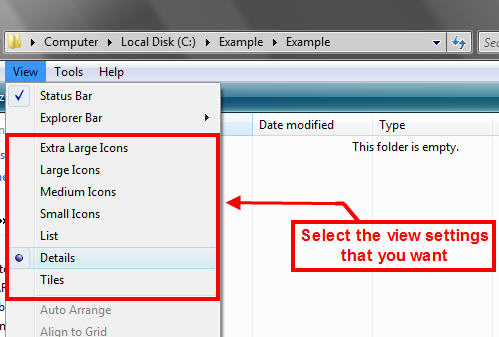
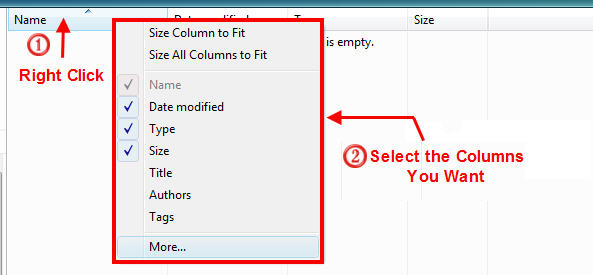
- Now adjust the folder to the way you want. This includes setting the View Style (List, Details, Thumbnails etc), and the columns (Name, Date Modified, Type, etc.)
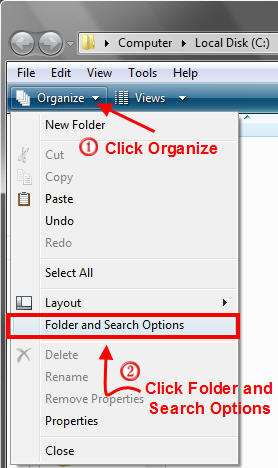
- Click on Organize in the menu bar and then "Folder and Search Items"
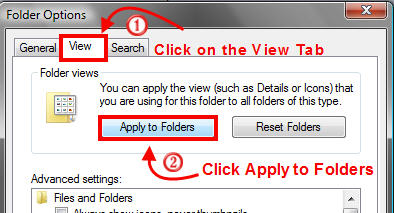
- Click on the View tab and then click on "Apply to Folders" button
- Click Ok
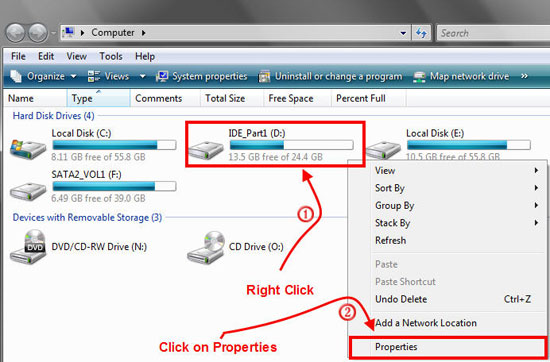
- Right click each drive letter and select properties again.
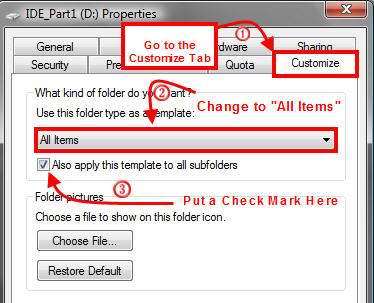
- Select the customize tab then Select all items from the drop down and put a check mark next to "Also apply this template to all subfolders"
- Click Apply Then Click Ok

Note: For some reason there is no customize tab for the C Drive so you must right click each folder below the root level instead and set each foldert one at a time