Set IE to Allow 10 Simultaneous Downloads Print
Written by mypchell.com   
Tuesday, 26 February 2008
Image If you download much at all and you still use Internet Explorer (Firefox Users Click Here), you probably are already aware of Internet Explorer's restriction which only allows you to download 2 things simultaneously . You can remove this restriction by following this guide...

Disclaimer: Warning Serious problems might occur if you modify the registry incorrectly by using Registry Editor or by using another method. Modify the registry at your own risk, Every effort has been made to ensure that registry edit instructions are correct and safe. MyPCHell cannot be held responsible for any damage done to your system by using this guide.


Note: Click on any image for a larger view of that particular image.

Before beginning this guide, please do this


Click backupreg_01.jpg


then backupreg_02.jpg


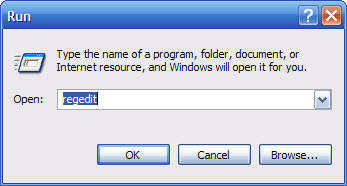
Type regedit then click backupreg_03.jpg


backupreg_04

Navigate to the following key:

HKEY_CURRENT_USER\Software\Microsoft\Windows\CurrentVersion\Internet Settings
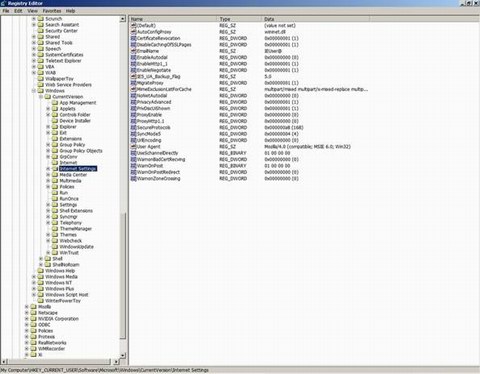


ieallow10downloads_01.jpg

Then Right click somewhere in the right hand window , and click New then Dword. Name the New DWord, MaxConnectionsPer1_0Server
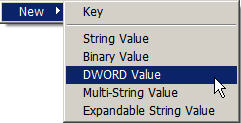


ieallow10downloads_02.jpg

Double Click on this New DWord you just created and give it a value of a
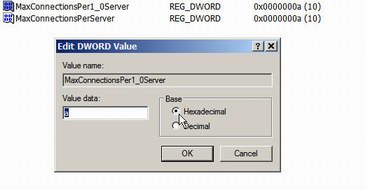


ieallow10downloads_03.jpg

Right click somewhere in the right hand window , and click New then Dword. Name the New DWord, MaxConnectionsPerServer


ieallow10downloads_02.jpg

Double Click on this New DWord you just created and give it a value of a
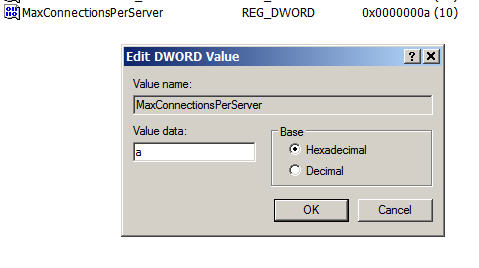


ieallow10downloads_04.jpg

Reboot your computer.

Comments (2)add comment

Guest said:

Thanks so much for that! Ive always been frustrated at having broadband and never being able to download more than 2 things at a time. Hardest part now is trying to download 10 things at a time... you can never download too much! :grin
 
report abuse
vote down
vote up
January 24, 2006
Votes: +1

Arclite said:

Needed that. Will make downloading DB backups a lot easier.
 
report abuse
vote down
vote up
February 20, 2007
Votes: +0

Write comment
quote
bold
italicize
underline
strike
url
image
quote
quote
smile
wink
laugh
grin
angry
sad
shocked
cool
tongue
kiss
cry
smaller | bigger

security image
Write the displayed characters


busy
 
< Prev   Next >
Minneapolis London Tokyo Honolulu

Translate


Recommended Sites

Shell Extension City

Latest Comments

Slickrun
Awesome list. If you are really into typing commands, check out Slickrun. It let...
information
realy super advised one.
you can add some
you can add some more run commands 1)microsoft office communicator 2005 - commu...
**Correction** Microsoft ...
Thanks for this great list of commands! I use Microsoft Access regularly and I n...

you know what they are not useful at all cuz i already know them i was ...

Who's Online

We have 7 guests online