...versions of Windows, we would expect to have System Restore and Windows Messenger. There are, however, some features that were introduced with Windows XP that did not take off as Microsoft had hoped. So, for this article I wanted to list out the Worst Features Of Windows XP.
Automatic Search feature of the Hardware Update Wizard
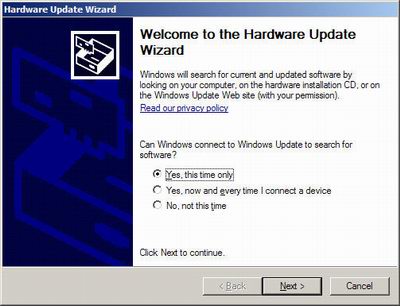
What a great idea this was. The idea behind it was to try to simplify the process of updating drivers via your Device Manager using a Automatic Search to search your computer and Windows Update for the driver. The problem, is that it almost never works.
Utility Manager
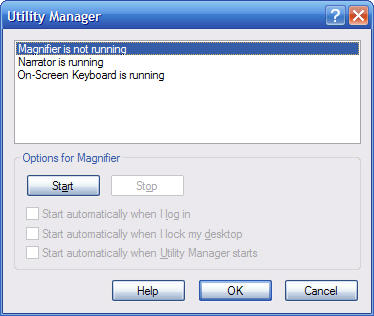
According to Microsoft, (the) Utility Manager enables users to check an accessibility program's status and start or stop an accessibility program. Users with administrator-level access can designate to have the program start when Utility Manager starts.
Um…ok. The ability to start and stop an accessibility during start up is a good thing, I just don’t see how it needs it’s own “manager". This option could have easily been rolled into a different control panel item. Another Useless Feature.
Active Desktop
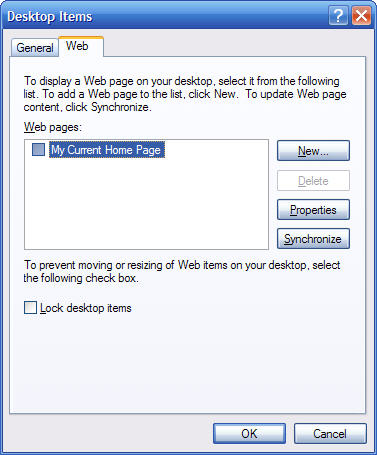
While this feature technically is not a new Windows XP feature, the way that it is setup as compared to past versions of Windows is new. Active Desktop enables a user to use their desktop as a web page, enabling a user to get content from the Internet and display it on their desktop.
This feature is rarely used nowadays, thanks in part to the recent wave of Spyware, Viruses and other malware.
The Bundled Games That Come With Windows XP

C’mon Microsoft, give us something new! While I love Minesweeper, Solitaire and Pinball, it gets old real quick. In my opinion, the Internet Games, although a cool feature, could have been scraped for a few more (New) games. Hopefully Vista will have something new.
Text-to-Speech

This feature was another bomb. Very primitive sounding and extremely ackward to use.
The layout of the MMC

First, I want to iterate that I am definitely not saying that the MMC is a bad feature, it is essential for administering various settings, permissions and properties of the system. With that said, the layout of the MMC is all over the place. This causes additional confusion which is completely unnecessary.
Add Hardware Wizard

I don’t think that I have ever used this. Windows XP is a plug and play operating system, so with most new hardware (like mice, keyboards, cameras etc) all you do is pop in the cd that came with the hardware (if there is one) and install the software, then plug in the device and that’s it.
Add New Programs

For the same reasons as #7, the “Add New Programs" is another Useless feature.
The Messenger Service
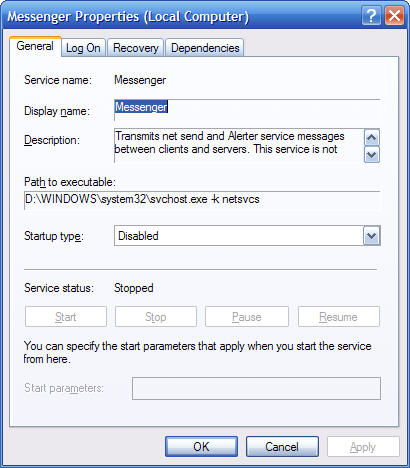
This service is not related whatsoever to Windows Messenger. In my experience, all this service does is serve pop up type ads to you. Very useless (not to mention annoying).
Security Flaws in IE6

IE6 was a disaster, plain and simple. Granted, back when XP came out, there was not nearly the amount of concern as there is now about Security. Still, that doesn’t change the fact that IE6 was poorly designed. Microsoft realized this, and for the first time ever, a new version of Internet Explorer (IE7) is to be released separately from a new version of Windows (in the past the only time we got a new version of IE was when there was a new version of Windows). The good news, is that it looks like Microsoft has learned from it’s mistakes of IE6. IE7 fixes a lot of the IE6 security and feature flaws.
Using the Built In Search Feature

Nowadays typical hard drive sizes are anywhere from 40GB to 500GB. Mine is 300GB and if I use the search feature in Windows XP, I have to let it run for a long, long time. Definitely not very useful (Note: Thankfully MS has improved the search in Windows Vista)
Windows Catalog

I have never used this, and I had to actually do some research just to figure out what the heck this is. Apparently Windows Catalog lists hardware that has been tested and is approved to work with Windows XP. Whenever I buy hardware I am at the store and the product will always list on it what it is compatible with. Nowadays, just about every single piece of hardware designed for Windows is compatible with Windows XP anyhow. So the Windows Catalog is yet another completely useless feature
The New Control Panel Layout

I have not found one person who actually likes the new control panel. It is laid out in a bizarre way which makes it ackward to use. Thank goodness Microsoft allows you to switch back to classic Control Panel (note: Microsoft did redo the control panel again in Windows Vista, but thankfully once again they left the option to switch back to classic).
Game Controllers in Control Panel
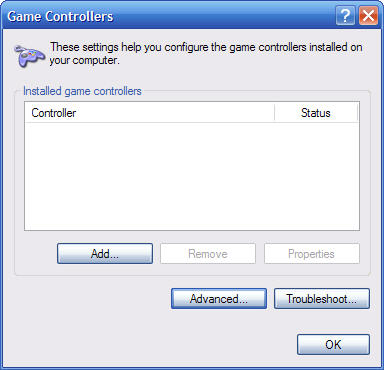
Although I have to admit, I am not a hardcore gamer, I had always thought that most game controllers were plug and play. So why the heck do we need this?
Set Program Access and Defaults
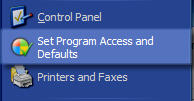
This feature sucks. Supposedly you are to change your default programs for your internet browser, media player, java and so on. The problem is, that it doesn’t seem to do anything extra to justify its existence.
For example, if you went in to Set Program Access and Defaults and unchecked Firefox (assuming you have Firefox installed), all that happens is a uninstall window pops up asking you if you want to continue with the uninstall of Firefox. If you wanted to uninstall Firefox you could have done that with the Add/Remove Programs.
Here is another example, assuming you have Real One Player installed…if you go into the Set Programs and Defaults, and uncheck Real Player. Then if you try to open Real Player, low and behold it still works! So what exactly is the Set Programs and Defaults doing?? The answer: Nothing.
And there you have it. As with any of these types of ‘lists’, there is always some debate and disagreement.
Do you agree with my top 15 of the worst Windows XP features? Feel free to share your comments or thoughts below.