Note: Click on any image for a larger view of that particular image.
File Types are files with a common file extension.

In the above picture example, there are 3 file types: gif, doc, and xls and as you can see Windows XP uses a specific icon for each file type.
So, if you change the icon for gif files, then the icon for all gif files will change (in other words, using the above picture you cannot change the icon for picture1.gif by itself.
Changing the icon for picture1.gif will also change picture2.gif, picture3.gif, picture4.gif and any other .gif files on your computer).
Ok, now that you understand that, let’s continue on with the procedure.
Click ,
then
Type control folders
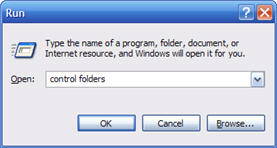
then click 
Then click on the FILE TYPES tab
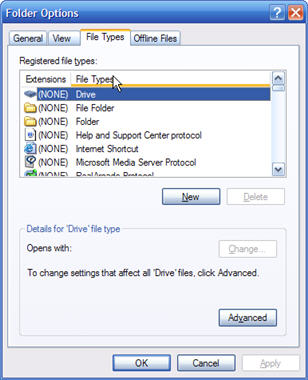
Now scroll down the list (it’s alphabetical) and find the File Type that you want the icon changed. For this guide, I have chosen gif files
Once you have found and clicked on the file type on the bottom of the window, click on Advanced (if there is no Advanced button, and instead you see a Restore button, click Restore. Then the Advanced Button should appear)
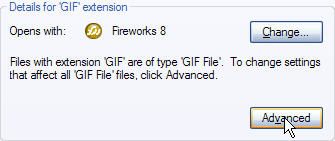
Then Click on Change Icon
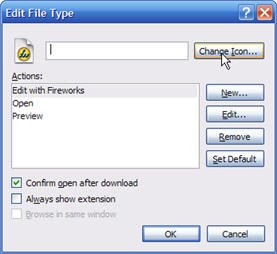
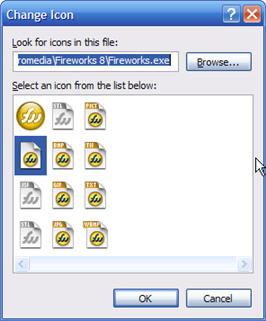
Then Click on the icon that you want. If you don’t like the choices that it gives you for icons, click Browse.
Navigate to find any icon you want. Any icon will work. Once you find one, click Open. For this example I chose to use the Nero icon
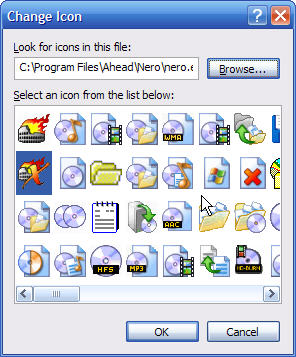
Click Ok, then Close and all files of that file type will change .