Internet Options - Settings for Max Speed Print
Written by mypchell.com   
Tuesday, 18 March 2008
Image Windows XP Only: In Windows XP at one time or another you probably have seen the Internet Options controls. What you probably didn't know is that if you use certain settings, that you can increase your internet speed. Follow this guide to maximize your internet browsing speed.

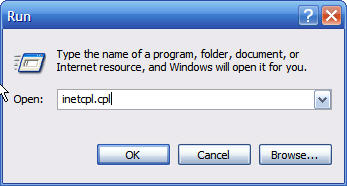
To get to it, Click ,

then

Type inetcpl.cpl then click

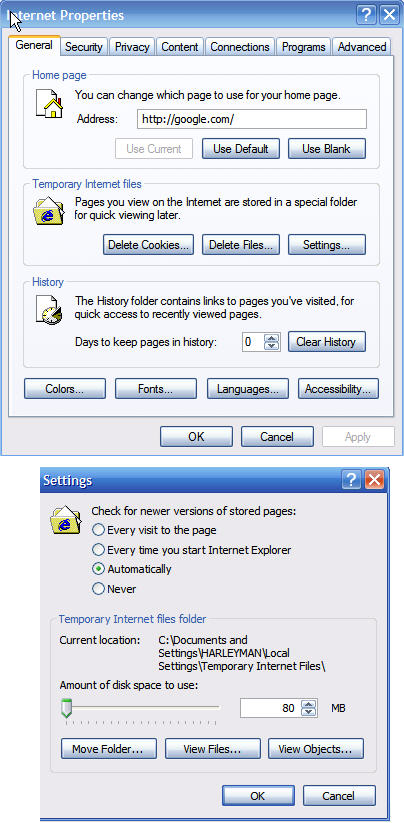
General Tab

Set Days to Keep History to 0

Click on the Settings button, then set Amount of Disk Space to Use to 80 MB

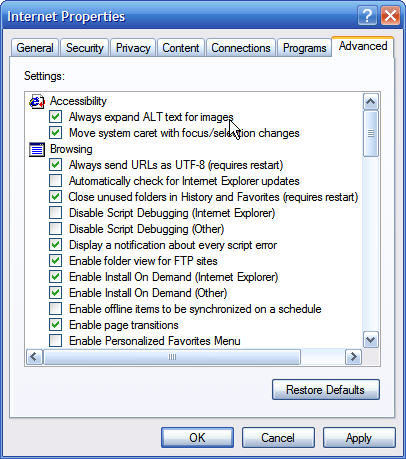
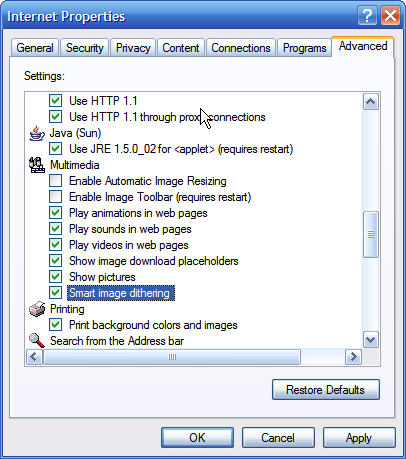
. Advanced Tab
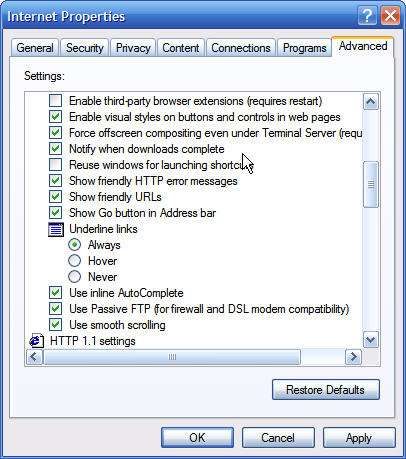
Uncheck the following:

Automatically Check For Internet Explorer Updates
Display A Notification About Every Script Error
Enable Install On Demand (Internet Explorer)
Enable Install On Demand (Other)
Enable Offline Items To Be Synchronized On A Schedule
Enable Personalized Favorites Menu
Enable 3rd-Party Browser Extensions
Reuse Windows For Launching Shortcuts
Java Console Enabled
Java Logging Enabled
Enable Automatic Image Resizing
Enable Image Toolbar

Comments (1)add comment

TucknDar said:

Maybe you should say that this relates to Internet Explorer. Speed of a browser is quite different from the speed of internet smilies/wink.gif
 
report abuse
vote down
vote up
April 15, 2008
Votes: +0

Write comment
quote
bold
italicize
underline
strike
url
image
quote
quote
smile
wink
laugh
grin
angry
sad
shocked
cool
tongue
kiss
cry
smaller | bigger

security image
Write the displayed characters


busy
 
< Prev   Next >
Minneapolis London Tokyo Honolulu

Translate


Recommended Sites

Shell Extension City

Latest Comments

Internet (Explorer)
Maybe you should say that this relates to Internet Explorer. Speed of a browser ...

You whine when some features are missing, and again you whine when you get extra...
This works...
Finally stopped and spent a second finding out how to not go into the display pr...
Not really...
"Game Controllers" it's very useful. You are wrong on this one.
another bad feature
I think that one of the worst WinXP features is the fact that when you open the ...

Who's Online

We have 2 guests online