(Continued)...is it Forces pages out of physical memory and reduces the size of running processes if working sets to a minimum. When you run this tool, the system pauses because of excessive high-priority activity associated with trimming the working sets. To run this tool, your paging file must be at least as large as physical memory.

To Check your Paging File, go into your control panel, then click on System, then go to the Advanced Tab, and Under “Performance” click “Settings” then the Advanced Tab . On the Bottom you should see “Virtual Memory” and a value. This is the value that must be at least as large as how much memory is in your system. If the Virtual Memory Value is smaller than your system memory, click Change and change the Min Virtual Memory to a number that is greater than your total system memory, then click “Set” and Reboot.
---- February 5th, 2006 -------
I am adding this addendum to the original article in response to the question of, "how do you run Clearmem?" that was posted in the Comments for this article.
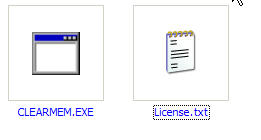
Every time you want to run it, you simply double click on clearmem.exe, When you double click on it, a black DOS window will pop up, like this:
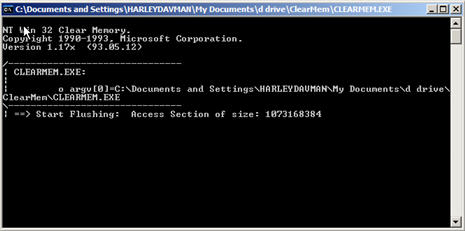
It will pause for awhile (don't worry that is normal), then it will Flush the memory and automatically close the black box. It automatically creates the files Flush1, Flush2, & Flush3 in whatever folder you ran it from.
The next time you want to run Clearmem, simply double click on the Clearmem.exe again.