|
Speed Up XP Boot with Boot Defrag |
|
|
Written by mypchell.com
|
|
Monday, 16 June 2008 |
 |
Speed up your boot time by enabling a Boot Defrag. Enabling Boot Defrag places all boot files next to each other on the disk to allow for faster booting. This should be enabled by default, however it can be changed inadvertently by various software or other means. If you experience a slow boot, you should definitely check to make sure that your Boot Defrag is enabled. |
Note: Click on any image for a larger view of that particular image.
To Enable or Disable the Boot Defrag, do the following:
Disclaimer: Warning Serious problems might occur if you modify the registry incorrectly by using Registry
Editor or by using another method. Modify the registry at your own risk, Every effort has been made to ensure that registry edit instructions are correct
and safe. FixMyXP cannot be held responsible for any damage done to your system by using this guide.
Before beginning this guide, please do this
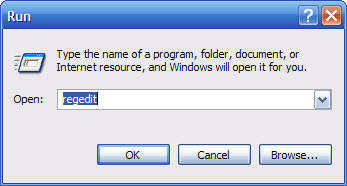
Click  then  Type regedit then click
Navigate to the following key:
HKEY_LOCAL_MACHINE\SOFTWARE\Microsoft\Dfrg\BootOptimizeFunction
Note: If you have a hard time seeing the images in thie guide, simply click on the image and you can view it larger
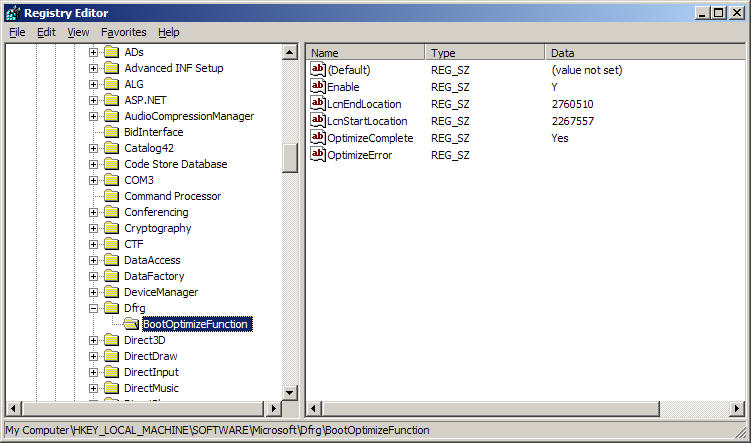
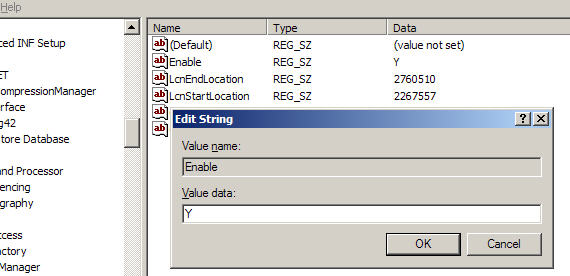
On the right hand side, locate Enable and double click on it and give it a value of Y to enable Boot Defrag or
N to disable Boot Defrag
Reboot your computer
|
|
|
| Minneapolis |
London |
Tokyo |
Honolulu |
|
|
|
|
Latest Comments
WHY DO YOU ALL CONTINUE TO PRINT THAT THIS KEY IN UNATTEND.TXT WILL WORK???? IT ... | hello thanks thanks thanks very very thanks | for Sketch:
write 'msconfig' in RUN. Under the tab startup, U unmark all the ite... | This is fantastic, but I didn't find the command I want. Anyone know the run c... | Comment This is really good. I love your site. |
Who's Online
We have 9 guests online
|