Note: Click on any image for a larger view of that particular image.
First, let’s back up a second and quickly go through how to customize an icon.
To customize an icon:
All you do is right click on the icon that you want to change, then choose Properties.

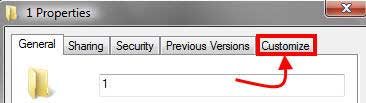
Then a box will pop up, select the customize tab,
Then click on the Change Icon button.
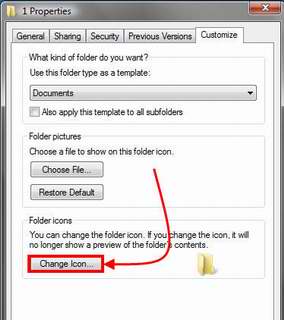
When you do this the following selection of icons pops up:
{ gallery }default{ /gallery }These can be accessed by changing the field “Look for items in this file" field. The default location that is listed is:
%SYSTEMROOT%\system32\Shell.dll
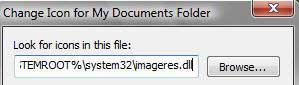
To access the Windows Vista icons for Documents, Pictures, Favorites and Videos plus a bunch more, put the following in the “Look for items in this file" field:
%SYSTEMROOT%\system32\Imageres.dll
Then hit enter on your keyboard and voila, more choices for icons, including the default icons for Documents, Pictures, Favorites and Videos.
{ gallery }imageres{ /gallery }